orders print themselves
an online order lands in your kitchen
as a paper ticket. the moment it's paid.
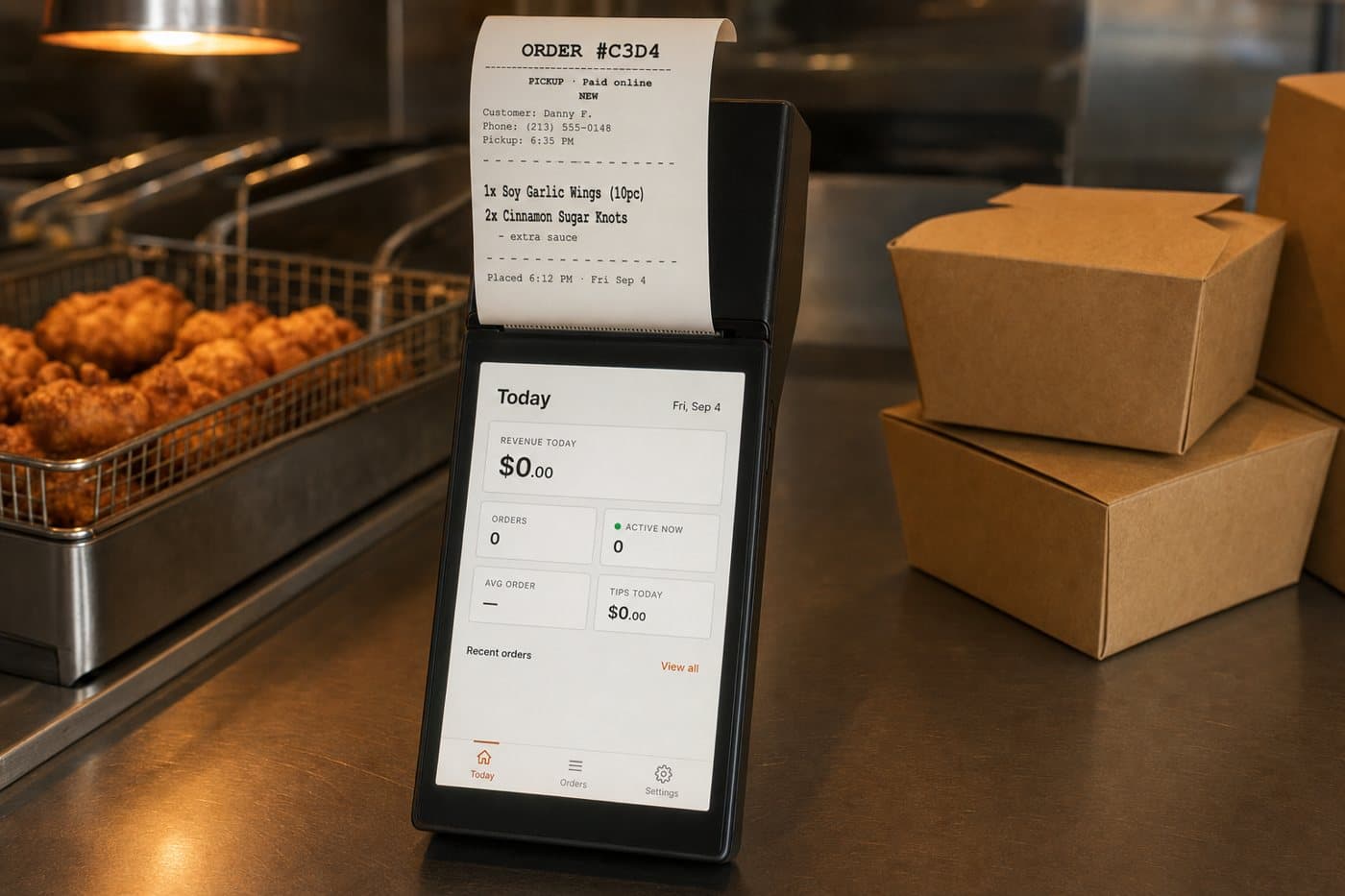
no tablet to watch. no app to check. a paid order prints on a small handheld at the counter and chimes until someone tears it off. your POS stays where it is.
the handheld comes with setup · works on your wifi · nothing to install on your POS
what happens
from paid to picked up, in four steps. two of them are yours.
the customer pays on their phone. the ticket prints. your staff tap twice. the customer's phone tells them it's ready.
- 6:12 pmcustomer payson your site or app. the money is in before the ticket exists.
- 6:12 pmthe ticket printssame second, in the kitchen. the device chimes until someone tears it off.
- 6:31 pmstaff tap “ready”one tap on the handheld or the dashboard. that's the second of the two taps.
- 6:31 pmthe customer's phone buzzesno phone call to the restaurant asking if it's done.
 CLUCK & DOUGHnowOrder #C3D4 Ready for PickupYour order from Cluck & Dough is ready. See you soon!
the first tap is “accept”, and you can skip it: set orders to accept themselves the moment they're paid, and the only tap left is “ready”.
the device
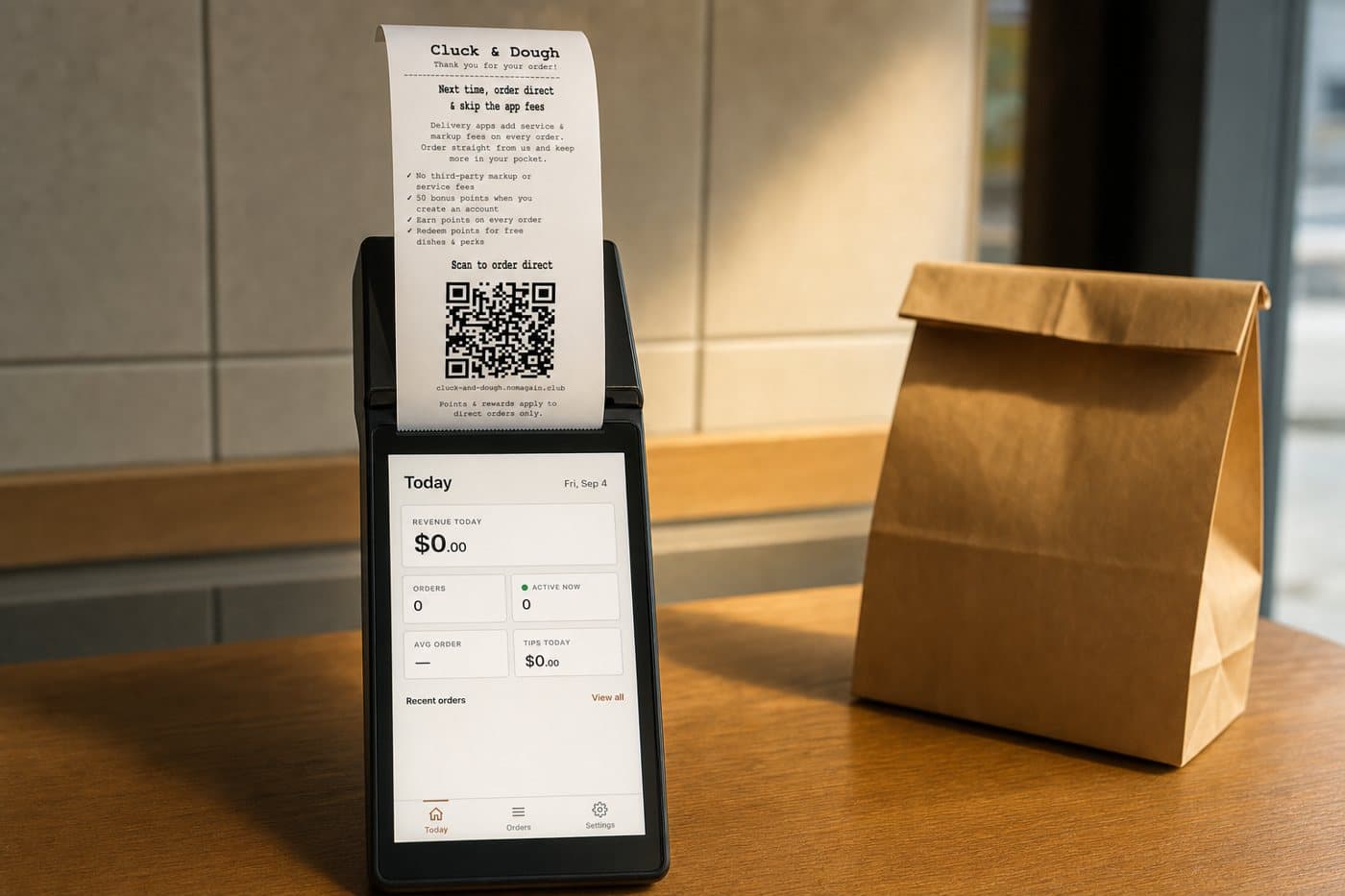
one handheld. it prints, it chimes, it rings up walk-ins.
phone-sized, with a thermal printer built in. it sits by the register and needs a plug and your wifi.
- 🧾kitchen tickets and receipts. prints the ticket the moment an order is paid, and the customer receipt when you want one.
- 🔔a chime you can't miss. rings for a new order and keeps nagging until it's handled. if an order sits too long, it rings again.
- 🛒walk-in orders too. ring up a counter order on the same device: cash, card, or a QR the customer scans to pay.
- 📄the “order direct next time” slip. the same printer prints the slip that goes into your delivery-app bags.
- 🔌adds to your POS. doesn't replace it. it only handles orders from your site and app. your POS keeps doing what it does.
what you see
an order comes in. two settings decide the rest.
when to print, and how long you need to cook. everything else follows from those.
a real order, while this page was written
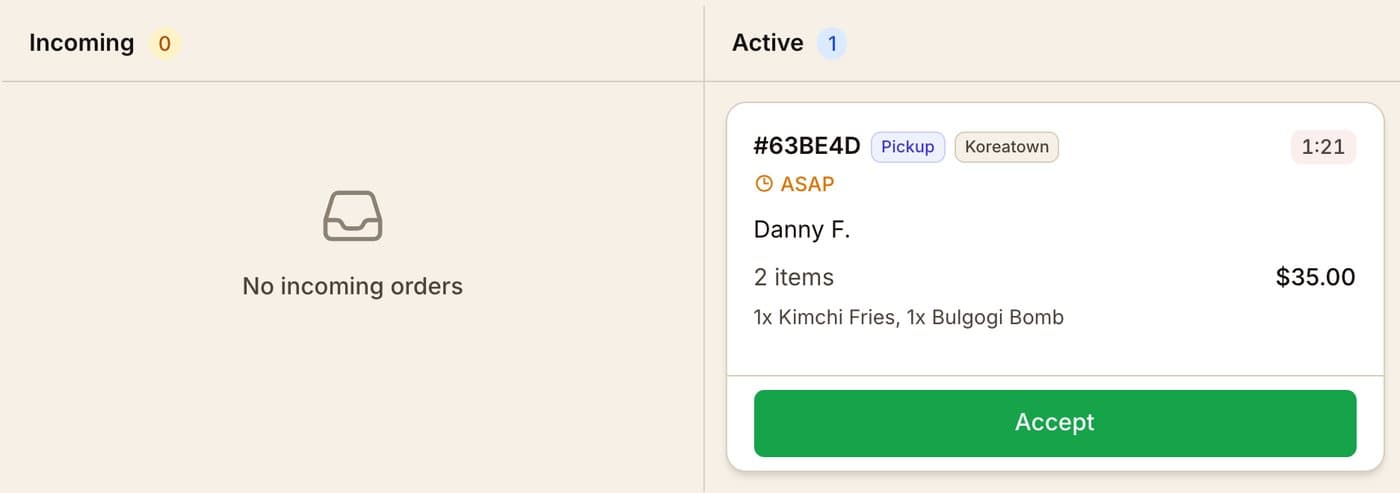
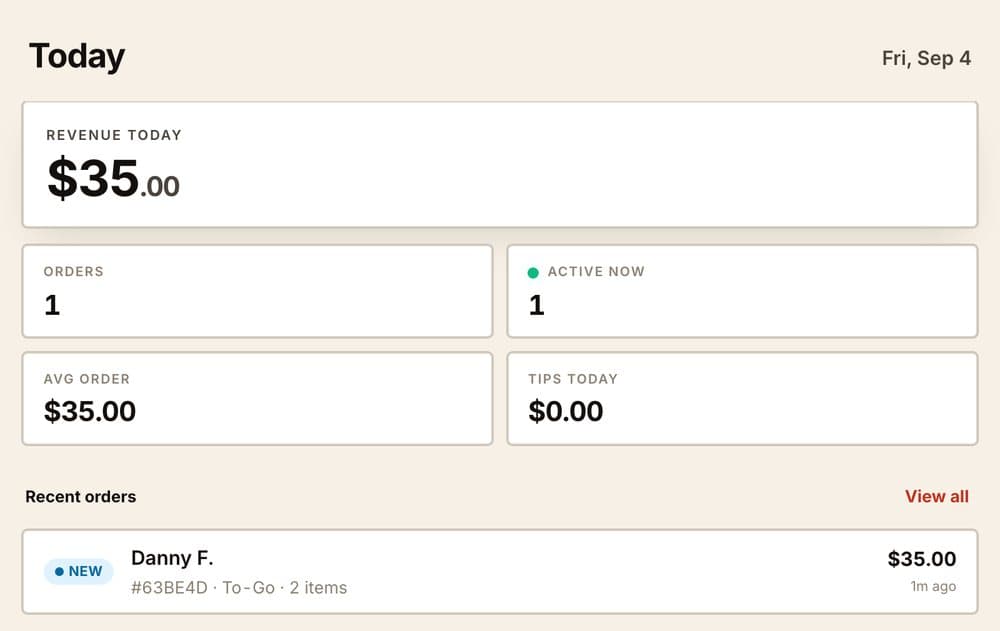
paid at 7:05:44 pm on the demo restaurant. it accepted itself and the kitchen ticket printed on the demo handheld 17 seconds later. this is the dashboard and the handheld a minute after.
when the ticket prints
at “paid”, before anyone accepts it. or at “accept”, if you want a hand on every order first.
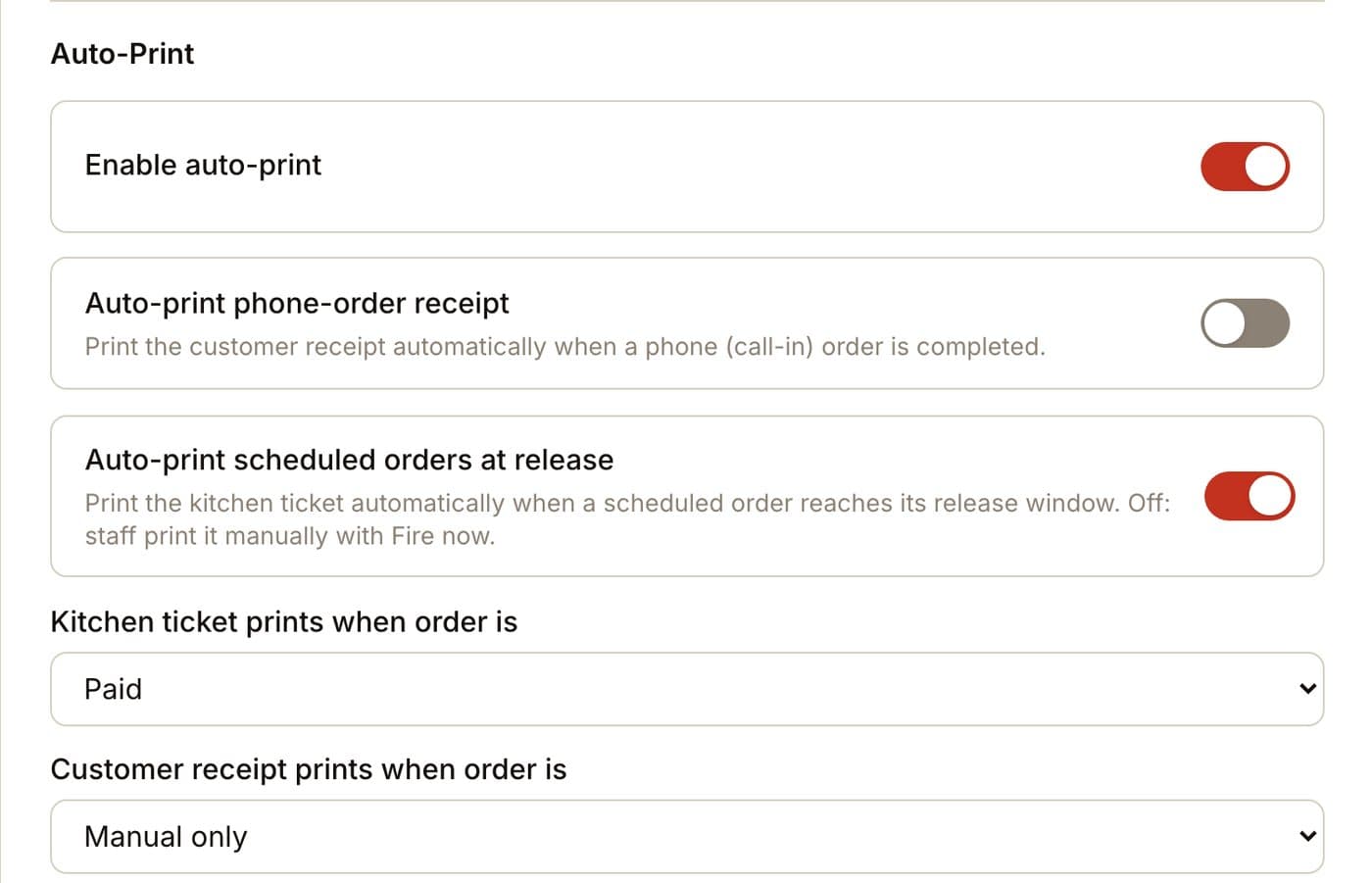
scheduled orders print when it's time to cook
a 6 pm pickup ordered at 9 am doesn't print at 9. with a 25-minute prep time it prints at 4:45, and until then it waits in a “scheduled” list, not on the pass.

when things go wrong
a printer can be off. an order can't be lost.
the ticket is a copy. the order itself lives on your dashboard and on the customer's phone, so a bad wifi night is annoying, not expensive.
the device goes quiet
if the handheld hasn't checked in for 45 minutes, your staff get a push and we get an email. when it comes back, you get told that too.
a ticket fails to print
it's retried on its own. if it keeps failing, the dashboard shows it, and any order can be reprinted with one tap.
nobody heard the chime
an order that sits untouched rings again, on every screen your staff have open. it doesn't go quiet after the first try.
already true today
on the counter at three restaurants.
- 3 independent restaurants run the handheld today, all on the same current software
- one restaurant has taken 179 paid online orders on it since April
- 9 of those were ordered more than an hour ahead. they wait in the scheduled list until it's time to cook
- the order in the screens above was paid at 7:05:44 pm and its ticket printed 17 seconds later, on the demo handheld
Cozy Thai Cuisine, West Covina. numbers refreshed 2026-09-04.
three questions owners ask
“I already have a POS and a printer.”
keep both. this adds one small device for orders from your site and app. it doesn't touch your POS, and nothing gets installed on it.
“what if the wifi drops?”
the order is already saved and already paid. the ticket prints when the device is back, and your staff get a push the moment it's been quiet too long. the customer's phone still shows their order.
“who accepts the order?”
your call. let paid orders accept themselves and print straight away, or keep a hand on it and accept each one with a tap. either way the chime doesn't stop until someone deals with it.
what we do with you
we bring it set up. the first ticket prints while we're there.
the handheld arrives with your menu on it. we put it by the register, connect it to your wifi, place a test order, and tear the first ticket off together.
- it arrives ready
your menu, your hours, your name on the ticket - we set it by the register
plug, wifi, a test order, the first ticket - your staff learn two taps
accept, and ready. that's the whole training
want to see your restaurant on it?
tell me your restaurant's name. I'll send back a sample ordering page with your logo and info. no meeting, no sales call.
get your free demothe handheld comes with setup · works on your wifi · nothing to install on your POS